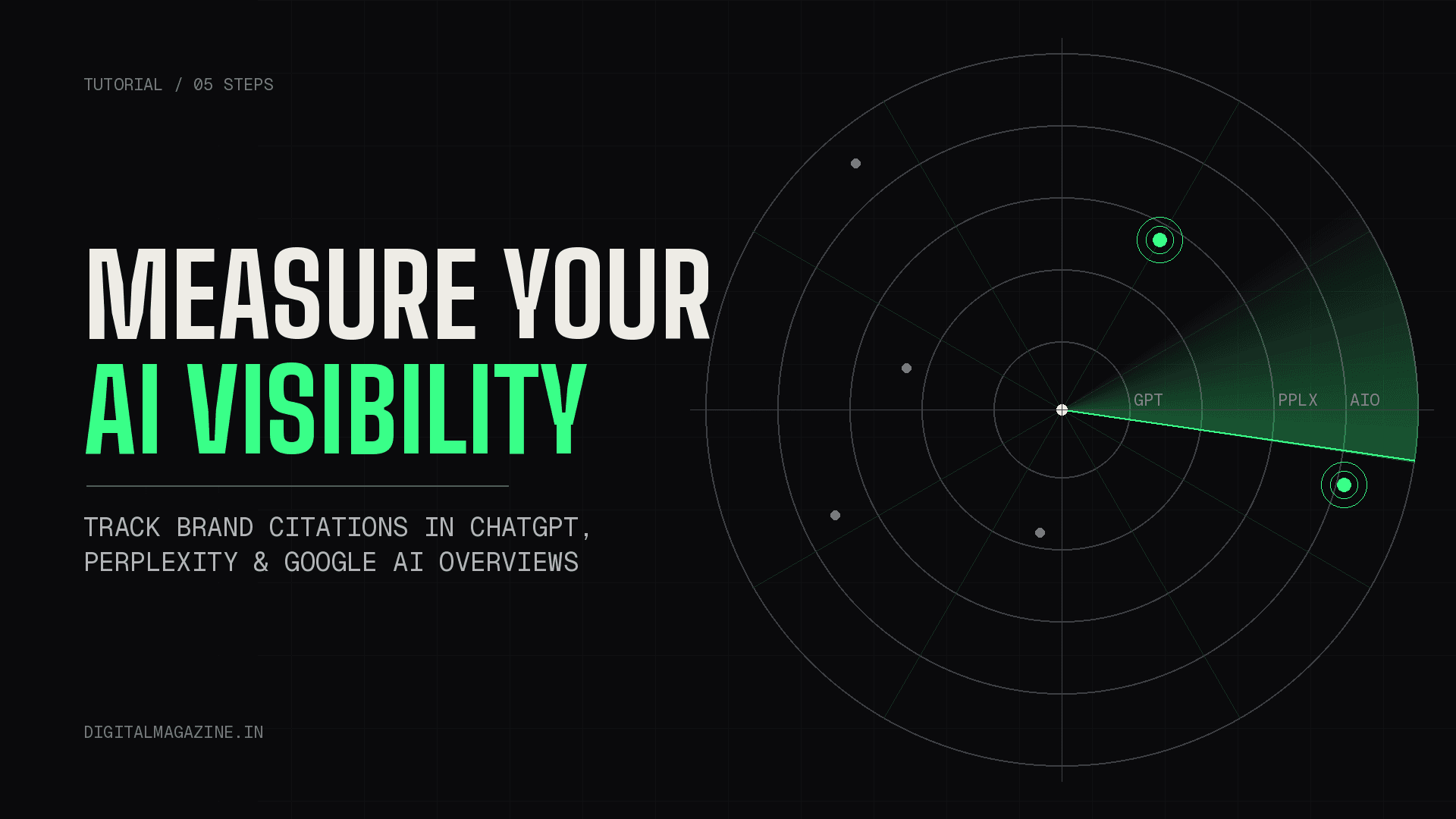
You spent months optimising your content for AI search. You restructured your articles, added FAQ sections, cleaned up your schema. And now the uncomfortable question: how do you know any of it is working?
Rankings won’t tell you. Traffic reports won’t tell you either – at least not directly. When ChatGPT recommends your brand or Perplexity cites your article, that event happens inside someone else’s product, on someone else’s servers, invisible to every dashboard you currently check in the morning.
This tutorial fixes that. By the end, you’ll have a working AI visibility measurement system: a prompt test set, three data sources configured, a tool shortlist matched to your budget, and a baseline scorecard you can start this week. No theory. Just the steps.
Why Traditional SEO Metrics Miss AI Visibility Entirely
Traditional SEO measurement rests on two pillars: where you rank, and how many people click through. AI search breaks both.
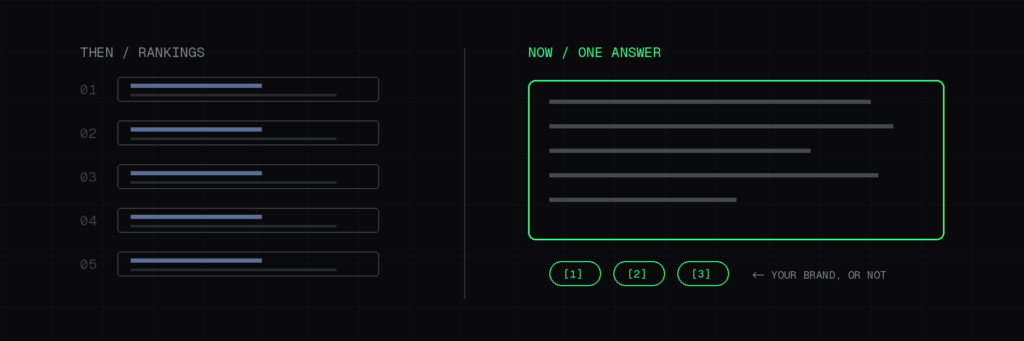
When someone asks ChatGPT “what’s the best CRM for a small agency,” there is no position one. There’s a synthesised answer that mentions two or three brands, sometimes with citations, sometimes without. If you’re mentioned, you gained visibility that no rank tracker recorded. If you’re absent, you lost a customer you never knew existed.
The scale of this shift is not speculative. Gartner predicted that traditional search engine volume would drop 25% by 2026 as users migrate to AI chatbots and virtual agents. Meanwhile, search interest in “AI visibility tools” grew roughly 1,900% year-over-year as of July 2026, which tells you exactly where marketing budgets are heading.
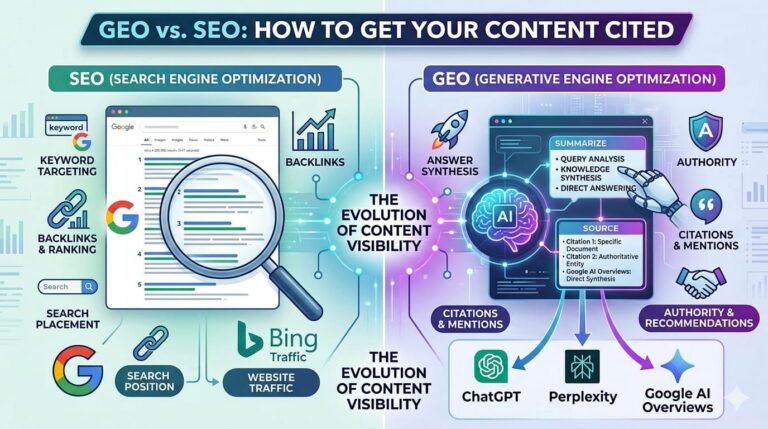
If you’ve read our guide on GEO vs. SEO, you already understand how to get cited by AI engines. This article is the other half of that equation: proving it happened.
There’s a useful mental model here borrowed from brand marketing – Share of Model. Just as Share of Voice measures your slice of advertising presence, Share of Model measures how often AI systems mention your brand versus competitors when answering relevant questions. It’s the closest thing AI search has to a ranking, and it’s what everything below is designed to measure.
A warning before we start: much of this activity lives in what we’ve previously called the dark funnel – influence that happens where your analytics can’t see. You will not achieve perfect measurement. The goal is directional confidence, not attribution perfection.
Step 1: Build Your Prompt Test Set (Your Manual Baseline)
Every AI visibility tool on the market does fundamentally the same thing: it runs a set of prompts through AI engines and records whether you appear. You can do this manually, for free, starting today. Doing it manually first also teaches you what to look for when you eventually buy a tool.
How to build the prompt set
Open a spreadsheet. Create 20-30 prompts that a real buyer in your category would actually type. Pull them from three sources:
- Your keyword research, translated into questions. “Best email marketing software India” becomes “What’s the best email marketing software for a small business in India?”
- Sales and support conversations. The questions prospects ask on discovery calls are the questions they ask ChatGPT first.
- The AI engines themselves. Ask ChatGPT: “What questions do people ask you about [your category]?” The answers are often revealing.
Split your prompts into three intent tiers, and weight the set toward the bottom of the funnel, because recommendation prompts are where buying decisions happen. Here’s what the structure looks like for a hypothetical email marketing SaaS:
| Intent tier | Example prompt | Why it matters |
|---|---|---|
| Category | “What is email deliverability and why do emails go to spam?” | Awareness – are you part of the educational conversation? |
| Comparison | “Mailchimp vs Brevo for a small Indian D2C brand” | Consideration – are you in the shortlist AI engines assemble? |
| Recommendation | “Which email marketing tool should a 5-person agency buy in 2026?” | Decision – this answer directly creates or costs you a customer |
Aim for roughly 30% category, 30% comparison, and 40% recommendation prompts. Localise where relevant – if your market is India, say so in the prompt, because AI engines adjust recommendations by market context.
How to score it
Run each prompt in ChatGPT, Perplexity, and Gemini. Use fresh chats with no history – memory and personalisation contaminate results. For each prompt-engine pair, record one of four outcomes:
- Cited – your brand is named AND your URL appears as a source
- Mentioned – your brand is named, no link
- Competitor only – a rival appears, you don’t
- Absent – nobody in your set appears
Your citation rate is simply (cited + mentioned) divided by total prompt-engine runs. That single percentage is your baseline. Everything you do from here is an attempt to move it.
Cadence and consistency
Re-run the full set monthly, same prompts, same engines, fresh sessions. AI answers are non-deterministic – the same prompt can produce different brands on different days. Consistency of method matters more than volume of prompts, because you’re measuring trend direction, not absolute truth. Twenty prompts run identically every month beats two hundred run haphazardly once.
Step 2: Mine the Data You Already Have
Before spending a rupee on tooling, extract the AI visibility signals sitting in your existing stack. There are three, and each tells you something different.
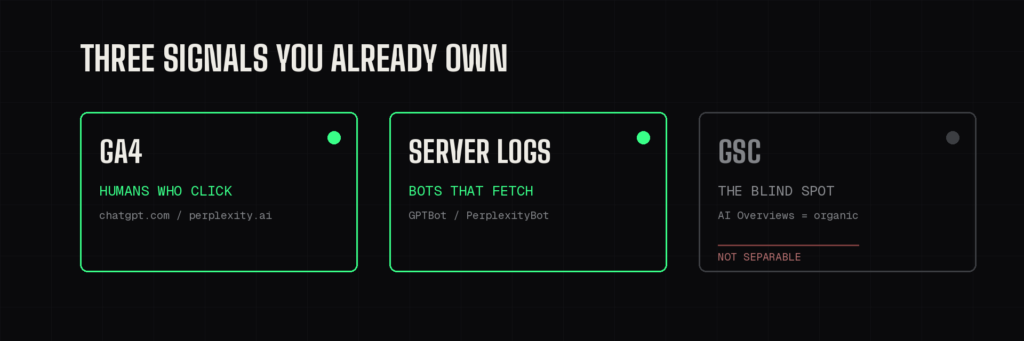
GA4: catch the humans who click through
When someone clicks a citation in ChatGPT and lands on your site, that’s a real session in Google Analytics 4 – but by default it drowns in the generic Referral channel. Two fixes exist, and you should use both.
First, the built-in option. Google added a native “AI Assistant” channel to GA4’s default channel group on May 13, 2026. It automatically tags visits from recognised assistants like ChatGPT and Gemini. It’s the fastest way to get a read, but it has a serious blind spot: it does not recognise Perplexity.
Second, the custom channel group, which closes the gap. In GA4, go to Admin → Data display → Channel groups and create a new group. Add a rule where session source matches a regex covering the AI domains: chatgpt.com, perplexity.ai, gemini.google.com, claude.ai, copilot.microsoft.com. Order this rule above Referral so it evaluates first – channel groups apply top-down, and Referral will swallow these sessions otherwise.
One more caveat that most guides skip: an estimated 35-70% of AI referral sessions arrive without referrer headers and land in Direct no matter what you configure. Treat your AI referral numbers as a floor, never a ceiling. If you’re still running on an older analytics mindset, our comparison of Universal Analytics and GA4 covers why GA4’s event model is what makes this channel grouping possible at all.
The AI Overviews blind spot – and what to do about it
Here’s the fact that surprises most marketers: you cannot isolate Google AI Overviews traffic in GA4 or Google Search Console. Clicks from an AI Overview report as standard google/organic traffic, indistinguishable from a classic blue-link click. There is no separate AI Overviews report, despite what some articles claim.
What you can do is triangulate. Watch for pages where GSC impressions climb while clicks fall – a widening gap often indicates your content is being summarised in an Overview, satisfying the query without the click. We covered why that’s not automatically bad news in our zero-click content strategy guide: visibility without clicks still builds the brand recall that drives branded search later.
UTM tagging: the belt-and-braces layer
There’s one more trick for the links you control. If you actively seed your content into AI ecosystems – answering questions on communities AI engines index, publishing data AI systems quote, or distributing content that gets summarised – append UTM parameters like utm_source=chatgpt to the links you place, so any resulting click is tagged unambiguously regardless of referrer stripping.
For lead-generation sites, pairing UTMs with a hidden form field that captures the source carries AI attribution all the way into your CRM. That’s how you eventually answer the question your CFO will ask: does AI visibility produce revenue, or just sessions?
Server logs: catch the bots before the citations
The earliest signal of AI visibility isn’t a mention – it’s a crawl. AI crawlers like GPTBot, PerplexityBot, and ClaudeBot never appear in GA4, because GA4 is JavaScript-based and bots don’t execute JavaScript. They do appear in your server access logs, and the user agents tell a story:
- GPTBot – OpenAI’s training crawler. Heavy activity suggests your pages are being evaluated for ChatGPT’s knowledge.
- ChatGPT-User / OAI-SearchBot – real-time fetches, meaning ChatGPT is pulling your page to answer a live user question. This is the strongest leading indicator you have.
- PerplexityBot – Perplexity’s citation crawler. Activity on a page means it’s in the answer pool.
- Google-Extended – Google’s crawler for its AI products beyond standard search.
On a self-hosted WordPress site, you can access raw logs through your hosting control panel (cPanel’s “Raw Access Logs” or your host’s equivalent), or install a log-viewing plugin. Filter by those user agents monthly and note which pages get fetched most. Crawled pages are your candidates for future citations; uncrawled pages are invisible to AI engines entirely.
Step 3: Choose an AI Visibility Tracking Tool
Manual tracking proves the concept. At some point – usually around the second month of copy-pasting prompts into three chatbots – you’ll want automation. The tool market has exploded, with over $300M in funding flowing into the category between mid-2025 and spring 2026, so the shortlist below focuses on tools with published pricing and an established track record.
| Tool | Entry price | What you get | Best for |
|---|---|---|---|
| Otterly.AI | from ~$25-29/month | Daily tracking of 15 prompts across Google AI Overviews, ChatGPT, Perplexity, Copilot | Freelancers, solo publishers, first-timers |
| LLMrefs | ~$79/month flat | 500 prompts tracked | Lean teams wanting maximum prompts per dollar |
| Peec AI | from ~€89/month | 25 prompts on Starter; competitor benchmarking, Looker Studio connector | Agencies and mid-market teams |
| Semrush AI Toolkit | ~$99/month per domain | AI visibility module bolted onto the Semrush ecosystem | Teams already paying for Semrush |
| Profound | Published figures range from ~$99 to $499/month depending on plan and source | Enterprise-depth prompt research, 10+ LLMs tracked | Enterprise brands with dedicated AEO budgets |
Pricing verified as of July 2026 via Zapier’s tool roundup and Acromatico’s sourced pricing comparison. AI visibility tools change their plans frequently – visit each vendor’s website for current pricing before committing.
A note on the conflicting Profound figures: different reputable sources list materially different entry points for Profound in 2026, which usually signals demo-gated pricing that varies by negotiation. Budget for the higher end.
Free and manual vs. paid: who needs which
Be honest about your stage. If your monthly organic traffic is under 10,000 sessions, your money is better spent creating citable content than measuring citations of content that doesn’t exist yet. Run the manual audit from Step 1, use HubSpot’s free AEO Grader for a snapshot, and revisit tools in six months.
If you’re an agency reporting to clients, or a brand where AI-sourced pipeline is already visible in your CRM, a paid tool pays for itself in reporting time alone. One caveat that applies to every tool in the table: they are all dashboards. They tell you where you’re invisible. None of them does the content, entity, and off-site work that fixes it. That part is still on you.
Step 4: Set Your Baseline Metrics and Reporting Cadence
Data without a reporting rhythm is trivia. Lock in four metrics and review them monthly:
- Citation rate – the percentage from your Step 1 prompt runs. Your headline number.
- Share of Model – of all brand mentions across your prompt set, what percentage were yours versus competitors? This contextualises citation rate: 40% citation rate means little if your rival sits at 80%.
- AI referral sessions – from your GA4 custom channel. Watch the trend line, not the absolute number, given the Direct-traffic leakage.
- AI crawler coverage – the percentage of your key pages fetched by AI bots in the last 30 days, from server logs.
Here’s what the scorecard looks like in practice:
| Metric | Source | Baseline (Month 1) | Month 2 | Month 3 | Target |
|---|---|---|---|---|---|
| Citation rate | Manual prompt runs | record it | – | – | +5 pts/quarter |
| Share of Model | Manual prompt runs | record it | – | – | Beat top competitor |
| AI referral sessions | GA4 custom channel | record it | – | – | Upward trend |
| AI crawler coverage | Server logs | record it | – | – | 80%+ of key pages |
| Mention sentiment | Manual prompt runs | accurate/mixed/wrong | – | – | Accurate |
Put this scorecard in the same monthly report as your traditional SEO metrics. The first month is pure baseline – resist the urge to react to it. From month two onward, you’re looking for movement and, more importantly, for the connection between actions and movement: you restructured five articles in March, did their crawl frequency rise in April and their citation rate in May?
Sentiment deserves a line on the scorecard too. Being mentioned isn’t automatically good – record whether AI engines describe you accurately and positively. A hallucinated product feature or an outdated price in a ChatGPT answer is a visibility problem of a different kind.
Step 5: Diagnose and Fix Low Visibility
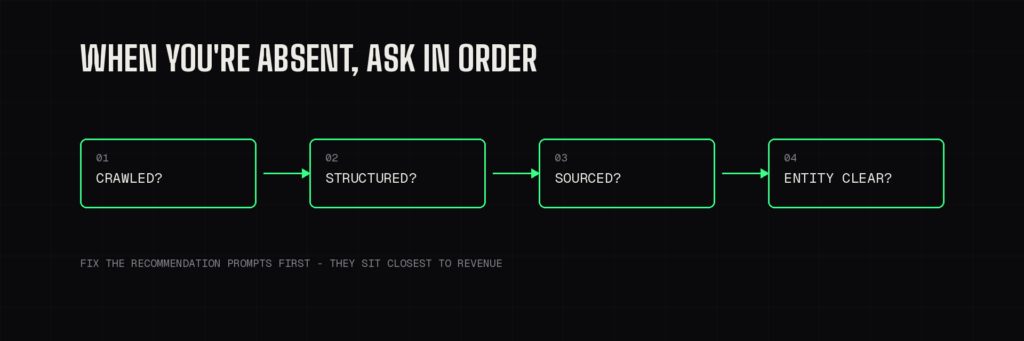
Measurement only matters if it changes what you do. When your scorecard shows absences, map them back to causes. Four diagnostic questions cover most cases:
Are AI crawlers even reaching the page? Check your server logs and your robots.txt. If you’re blocking GPTBot or PerplexityBot – some security plugins do this by default – you’ve opted out of the answer pool entirely.
Is the content structured for extraction? AI engines favour content that answers questions directly: clear headings phrased as questions, concise definitive answers up top, structured data underneath. Our GEO vs. SEO guide breaks down the structural patterns that earn citations.
Does the page carry named, verifiable sources? Engines cite content that itself cites. Unsourced claims are extraction risks; linked statistics from named publications are extraction candidates.
Is your entity clear? If AI systems confuse your brand with a similarly named company, no amount of content quality fixes it. Consistent schema markup, a coherent About page, and matching profiles across platforms – the same fundamentals covered in our AI-driven search preparation guide – resolve entity ambiguity.
Then prioritise ruthlessly: fix the recommendation-intent prompts first, because those sit closest to revenue. A missing citation on “what is X” costs you awareness. A missing citation on “which X should I buy” costs you a customer.
A worked example of the diagnostic loop
Say your scorecard shows you’re absent from every “best [category] tool for small business” prompt, while a competitor appears in eight out of ten runs. Work the questions in order. Server logs show ChatGPT-User has never fetched your comparison page – but GPTBot has crawled your homepage, so you’re not blocked. That points to a content problem, not an access problem.
You open the competitor’s page, and the pattern is obvious: they lead with a direct one-paragraph recommendation, use question-phrased H2s, and link out to third-party review data. Your page buries the answer under 800 words of preamble. The fix isn’t more content – it’s restructuring what exists so an engine can extract an answer in one pass. You restructure, wait a crawl cycle, and watch for ChatGPT-User hits on that URL in next month’s logs. Fetch activity before citation activity: that’s the sequence the whole measurement system exists to reveal.
Frequently Asked Questions
What is AI visibility? AI visibility measures whether your brand shows up when AI systems – ChatGPT, Perplexity, Gemini, Google AI Overviews – answer questions in your category, and whether those appearances are accurate and favourable. Think of it as the AI-search counterpart to keyword rankings: the scoreboard for generative engine optimisation.
Can I track ChatGPT mentions for free? Yes. Run a fixed set of buyer-intent prompts through ChatGPT in fresh sessions monthly and score whether your brand is cited, mentioned, or absent. Pair this with a GA4 custom channel group to capture the humans who click through. It’s manual, but it’s rigorous enough to establish a baseline and a trend.
Does Google Search Console show AI Overview performance? No. Clicks from AI Overviews are reported as standard organic traffic, and GSC offers no separate AI Overviews report. The best available proxy is watching for pages where impressions rise while clicks fall.
How often should I measure AI visibility? Monthly for the full prompt set and scorecard. AI answers vary day to day, so weekly measurement mostly captures noise; quarterly is too slow to connect actions to outcomes.
Do AI visibility tools work for small websites? They work, but they’re rarely the right first spend. Below roughly 10,000 monthly sessions, invest in creating citable content first and measure manually. Graduate to a paid tool when reporting time or client requirements justify it.
Actionable Takeaways
Here’s your week-one checklist, in order:
- Today: Build a 20-prompt test set from your keyword research and sales conversations. Run it through ChatGPT, Perplexity, and Gemini in fresh sessions. Record cited/mentioned/competitor-only/absent for each.
- This week: Create the GA4 custom channel group for AI referrals, ordered above Referral. Check robots.txt to confirm you aren’t blocking GPTBot, PerplexityBot, or Google-Extended.
- This month: Pull server logs and note which pages AI crawlers fetch. Calculate your baseline citation rate and Share of Model. Put all four metrics in one scorecard.
- Next month: Re-run the identical prompt set. Compare. Now you have a trend – and a measurement system most of your competitors don’t.
Most of your competitors are still optimising for AI search on faith – publishing, hoping, and checking nothing. A 20-prompt spreadsheet and one GA4 channel group put you ahead of them by next month. The gap between guessing and knowing has rarely been this cheap to close.